DonorAtlas works with Neon CRM
Enhance your Neon CRM Accounts with powerful donor research insights from DonorAtlas.
Moving Data Made Easy
While we don't yet have a native integration with Neon CRM, you can easily enhance your Neon CRM Accounts using DonorAtlas. Just follow the steps below to get started, and reach out to us if you have any questions!
Export from Neon CRM
First, export the Accounts you'd like to enhance from Neon CRM. Navigate to the Reports section, create a report with your desired Account fields, and export it as a CSV file. Make sure to include the Account ID field.
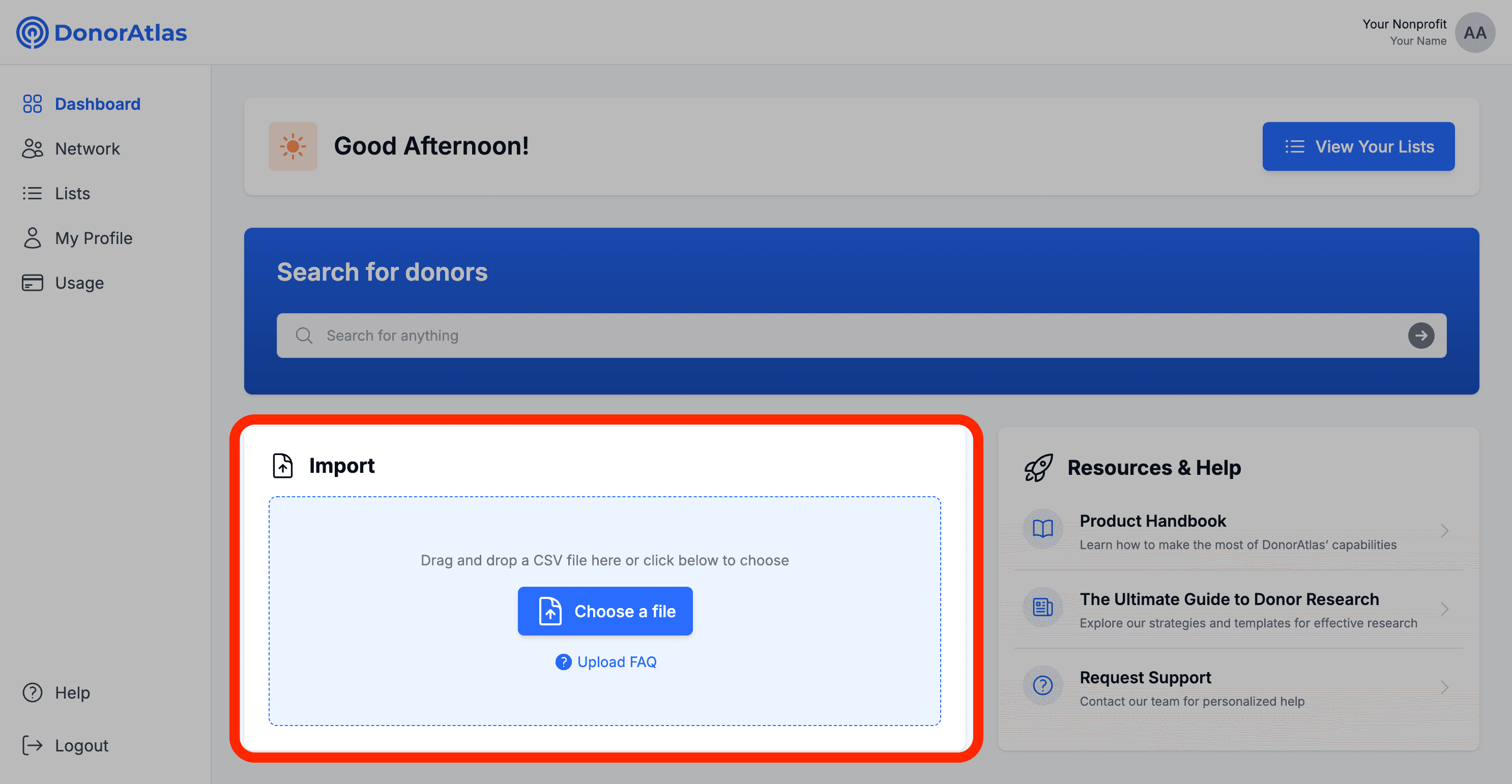
Upload to DonorAtlas
Upload your CSV to DonorAtlas. Our platform will automatically map your Neon CRM columns and enrich each Account with comprehensive philanthropic data, wealth indicators, giving history, and connections to your DonorAtlas Network.
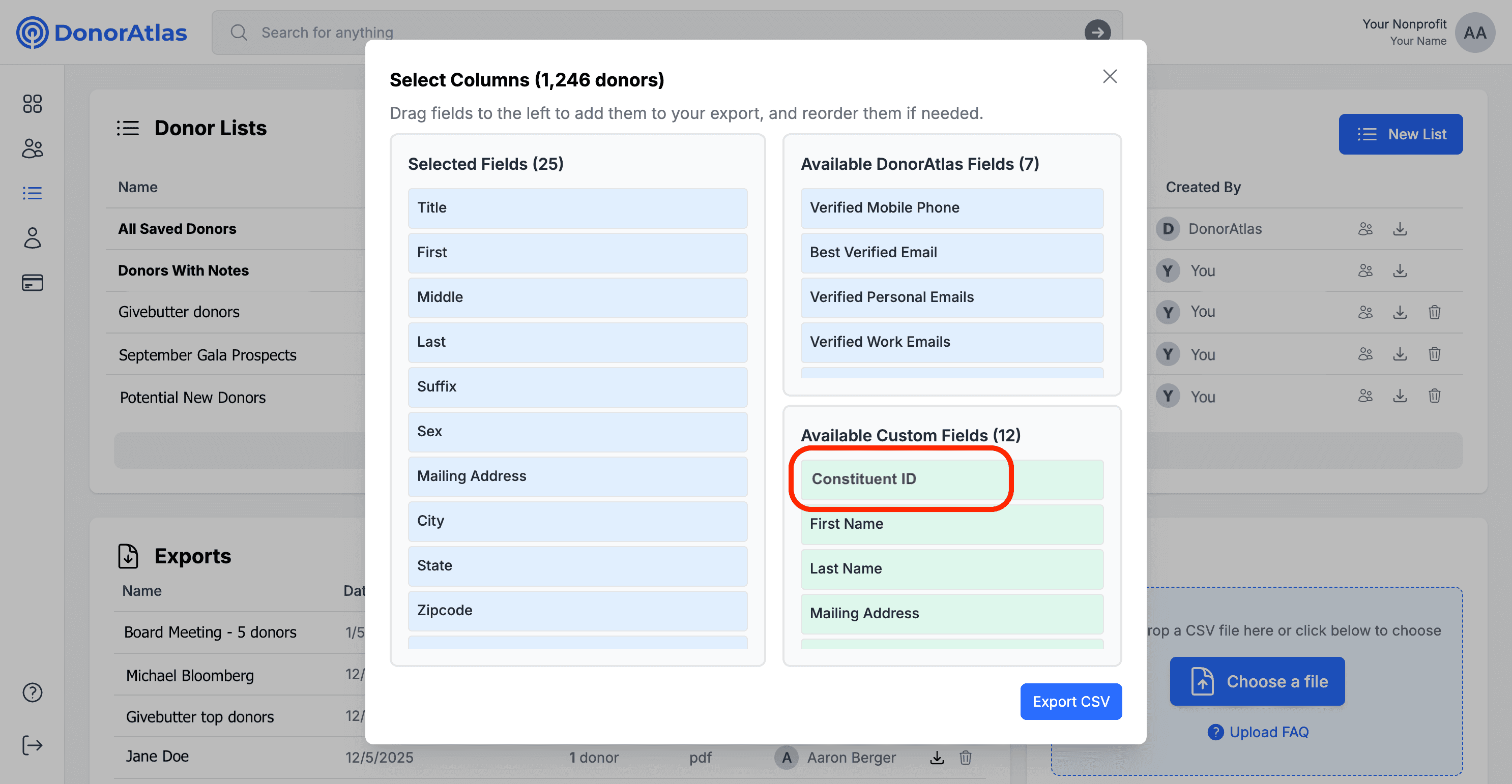
Download from DonorAtlas
Export your enriched Account list from DonorAtlas with all the new insights we've added. The CSV will include wealth scores, giving capacity, philanthropic interests, board affiliations, and more - ready to import back into Neon CRM.
Import to Neon CRM
Import the enriched CSV back into Neon CRM using the Import Manager (found under Tools). Map the DonorAtlas fields to your Neon custom fields, and your Accounts will be updated with all the enhanced insights!
Ready to enhance your
Neon CRM fundraising?
Book a Demo

Ready to enhance your
Neon CRM fundraising?
Book a Demo