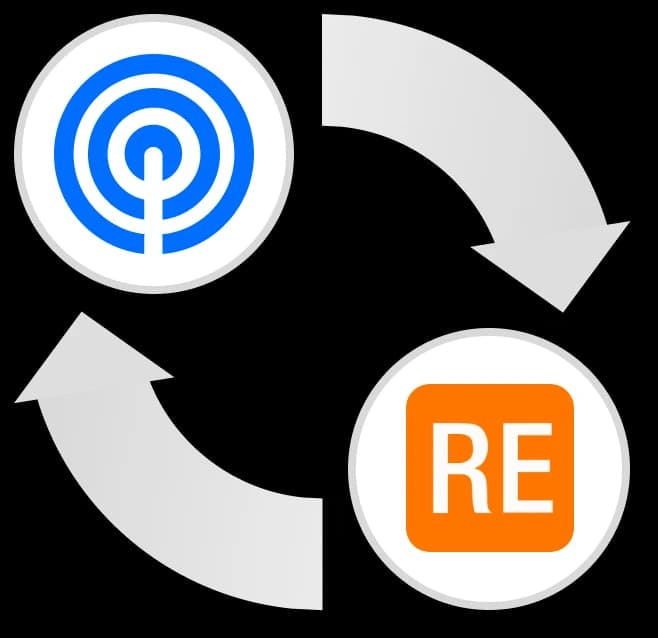
Technical Administration Guide
DonorAtlas for Raiser's Edge NXT · Last Updated: August 2026
1. Product Overview
DonorAtlas for Raiser's Edge NXT matches your constituents against the DonorAtlas database and delivers prospect research two ways:
- The DonorAtlas tile, a Blackbaud SKY add-in on every Constituent record page, shows a synced constituent's full DonorAtlas profile.
- Synced fields are written into native RE records — ratings, contact information, relationships, education — where they work in lists, queries, exports, and reporting.
The two are independent. The tile always shows the complete profile; the field configuration (Section 5) controls only what is persisted into RE records. They also have different audiences: the tile renders only for users with a DonorAtlas account, while synced fields are ordinary RE records that every user of your database can see, query, and report on.
Nothing is installed inside your database. The tile is a DonorAtlas-hosted web app rendered by Blackbaud in an iframe, configuration and bulk operations live in the DonorAtlas web app, and the DonorAtlas backend talks to the Blackbaud SKY API to read constituent identity data and write enrichment records.
What the Integration Never Touches
- Gifts. The integration never reads or writes gift records, giving history, or financial transactions.
- Records it didn't create. Every record DonorAtlas writes is tracked individually, and unsync/resync only remove records DonorAtlas created.
- Constituent identity fields. DonorAtlas never edits a constituent's name or other core biographical fields.
2. Prerequisites & Roles
| Requirement | Who Needs It | Notes |
|---|---|---|
| Raiser's Edge NXT subscription | Your organization | The integration is built on RE NXT and the SKY API. |
| Blackbaud Marketplace management rights | The person connecting the app | If you don't see Marketplace → Manage in Blackbaud, ask your Blackbaud environment admin. |
| An RE NXT user account | Every DonorAtlas user who syncs | Each user authorizes DonorAtlas once, and API access respects that user's RE security rights: viewing constituents plus adding ratings, addresses, contact information, relationships, education records, and notes. |
| SKY API subscription key | One per team | Created with a free Blackbaud developer account; the configuration page walks you through it (Section 5). |
| A DonorAtlas team with import credits | Your organization | Any team member can configure the integration; uninstalling requires a DonorAtlas team admin. |
3. Installation & Connection
There is no package to install and nothing to upgrade later. Setup is three steps; the click-by-click version with screenshots is the Quick Start Guide.
Step 1: Connect the Application
An admin opens the DonorAtlas connection link and clicks Connect. This is done once per environment; it makes the DonorAtlas tile appear on Constituent record pages. Connecting by itself grants no data access — that comes from each user's authorization in Step 2.
Step 2: Log In (Each User, Once)
Each user clicks Log in on the tile, signs in to DonorAtlas, and clicks Authorize on Blackbaud's consent screen. The integration links their DonorAtlas team to the RE environment automatically; users who belong to more than one DonorAtlas team pick which one to link.
An RE environment links to exactly one DonorAtlas team, and a team to exactly one environment. The first user to authorize creates the link; everyone after that joins it. If you hit an “already linked” error you didn't expect, contact DonorAtlas support — moving a link is a support action.
Step 3: SKY API Key and Field Selection
After authorizing, you land on the configuration page: enter the team's SKY API subscription key and choose synced fields. Both are covered in Section 5. Once the configuration validates, the integration is live.
4. Authentication Architecture
Three credentials are involved:
| Credential | Scope | Created | Used For |
|---|---|---|---|
| Marketplace connection | Environment | Admin connects the app (Step 1) | Makes the tile render and lets users authorize the app. Grants no data access by itself. |
| Blackbaud OAuth tokens | Per user, per team | Each user's one-time login (Step 2) | All SKY API reads and writes. Every call runs as an authorized user and respects that user's RE security rights. |
| SKY API subscription key | Per team | Entered on the configuration page (Step 3) | Accompanies every SKY API call and carries the Blackbaud rate limit. |
OAuth Details
- Authorization uses Blackbaud's standard authorization-code flow with the
openid email profilescopes. - Access and refresh tokens are stored encrypted by DonorAtlas, per user and team, and refreshed automatically. Users are not re-prompted during normal use.
- If Blackbaud invalidates a refresh token (password change, revocation), that user's connection is flagged for re-authorization. The fix is to log in again from the tile.
How the Tile Authenticates
The tile never holds your Blackbaud password or tokens. Blackbaud's add-in framework passes it a short-lived, signed user-identity token proving which Blackbaud user and environment are viewing the page, and DonorAtlas validates that token on every request.
5. Configuration
Configuration lives in the DonorAtlas app: My Profile → Raiser's Edge NXT → Configure. It has two parts: the SKY API key and the synced-field selection.

SKY API Key
Blackbaud requires a subscription key on all SKY API traffic. Your team supplies its own, created with a free Blackbaud developer account; the configuration page links a step-by-step guide. DonorAtlas validates the key with a live SKY API call before saving it.
Synced Fields and Validation
Move fields between Synced Fields and Available Fields, then click Validate Configuration. Several RE record types require matching entries in your database's code tables; validation checks every entry each selected field needs, creates missing ones, reactivates inactive ones, and re-checks. Only fields that pass validation are written during syncs.
| Code Table | Entries DonorAtlas Provisions | Needed For |
|---|---|---|
| Ratings | DonorAtlas Net Worth - Min, DonorAtlas Net Worth - Max, DonorAtlas Giving Capacity, DonorAtlas Average Public Gift, DonorAtlas Largest Public Gift (all Currency) | The five rating fields |
| Sources | DonorAtlas | Stamped on every rating DonorAtlas writes |
| Address Info Sources | DonorAtlas | Mailing Address |
| Phone Types | DonorAtlas Verified Personal Email, DonorAtlas Verified Mobile Phone | Verified contact info |
| Relationships | Employer, Employee, Board Member, Family Foundation, Donor, Donee | Employment, Board Affiliations, Private Foundations, Donations |
| Schools / Degrees | Created per donor as needed (e.g. “Harvard University”, “MBA”) | Education |
Changing the selection later is safe. Newly enabled fields are written on each constituent's next sync or resync, and records for disabled fields are removed on their next resync.
6. Data Model
DonorAtlas adds no custom objects, fields, or schema to Raiser's Edge. Everything is written to native RE record types, so the data works everywhere RE already exposes those records.
Provenance
Every record DonorAtlas writes is identifiable: ratings carry Source: DonorAtlas and DonorAtlas-prefixed category names, addresses carry the DonorAtlas information source, emails and phones use DonorAtlas-prefixed types, and relationships carry a DonorAtlas comment. You can filter, query, or audit exactly what the integration wrote.
Organization Constituents
Employment, board, foundation, and donation relationships need an organization on the other end. When a donor's employer or board isn't in your database, DonorAtlas creates an Organization constituent for it, first searching your existing constituents and reusing an organization whose name matches (ignoring case, punctuation, and spacing).
Sync Tracking
For every synced constituent, DonorAtlas stores (on the DonorAtlas side) the matched profile, the match confidence, who synced it and when, and the ID of every RE record it wrote. That ledger is what lets resync and unsync remove exactly the records DonorAtlas created and nothing else.
7. Data Dictionary
Every field below is individually selectable in the configuration. The names are exactly what you'll see in your database.
Constituent Ratings
Written to the Ratings tab as Currency ratings with Source: DonorAtlas and the sync date.
| Field (in DonorAtlas) | RE Rating Category | Value | Comment |
|---|---|---|---|
| Net Worth Range (Min) | DonorAtlas Net Worth - Min | Lower bound of the estimated net worth range | How the estimate was reached |
| Net Worth Range (Max) | DonorAtlas Net Worth - Max | Upper bound of the estimated net worth range | — |
| Giving Capacity | DonorAtlas Giving Capacity | Estimated annual nonprofit giving capacity | The reasons behind the estimate (observed grants, wealth bracket, board memberships, all-time giving) |
| Average Public Gift | DonorAtlas Average Public Gift | Average of the donor's publicly known gifts | — |
| Largest Public Gift | DonorAtlas Largest Public Gift | Lower bound of the largest publicly known gift | The gift itself, e.g. “$25,000 - $50,000 in 2021 to [Nonprofit]” |

Contact Information
| Field (in DonorAtlas) | RE Destination | Details |
|---|---|---|
| Mailing Address | Addresses | A Home-type address with information source DonorAtlas. Never marked primary. |
| Verified Personal Email | Email addresses | Type DonorAtlas Verified Personal Email. Multiple entries possible; never marked primary. |
| Verified Mobile Phone | Phone numbers | Type DonorAtlas Verified Mobile Phone. Multiple entries possible; never marked primary. |
| Social Media and Bio Websites | Online presence | Links typed as LinkedIn, Twitter, Facebook, or Website based on the URL. |

Relationships
Written to the Relationships tile, each linking to an Organization constituent (Section 6) and carrying a DonorAtlas comment.
| Field (in DonorAtlas) | Relationship Type → Reciprocal | Details |
|---|---|---|
| Employment | Employer → Employee | Job title and start/end dates where known. |
| Board Affiliations | Board Member → Board Member | Position is the donor's board title where known, otherwise “Board Member”. |
| Private Foundations | Family Foundation → Board Member | Position reflects the donor's foundation role (Founder, Chairman, Trustee, …). |
| Donations | Donee → Donor | One relationship per publicly known recipient organization, with the gift range in the comment. These are relationships, not gift records. |

Education
Written to the constituent's Education records: school (added to the Schools code table as needed), degree (normalized to a standard Degrees entry like BS, MBA, Ph.D.), and class year.
Length Limits
Blackbaud enforces maximum lengths on several of these records; DonorAtlas truncates to fit rather than fail the write. Rating and relationship comments cap at 255 characters, job titles at 50, school and organization names at 60, degree names at 30, and online presence URLs at 255.
8. Sync Operations
Single Sync (from the Tile)
- DonorAtlas reads the constituent's identity data from RE: name, address, employer and job title, and school.
- A matching job runs against the DonorAtlas database (Section 9). The tile shows Pending and checks for a result every 15 seconds; matching typically completes within a minute or two.
- On a match, DonorAtlas writes every configured, validated field into RE and adds the donor to the team's “Donors Synced with Raiser's Edge NXT” list in DonorAtlas.
Bulk Sync (from the DonorAtlas App)
My Profile → Raiser's Edge NXT → Bulk Sync syncs a saved RE constituent list, or the entire environment via “All Constituents”. Already-synced constituents are skipped, and only Individual constituents are processed.

A bulk sync works through your entire saved list — there is no per-run cap on the number of constituents. Blackbaud limits how fast anyone can write to your database, so a first sync of a large list is paced across many batches and can take a while. Lists with relationship-style fields configured (Employment, Board Affiliations, Private Foundations, Donations, Education, Social Media and Bio Websites) make many more API writes per constituent, so they move more slowly than a ratings-and-contact sync.
Runs are bounded only by your remaining import credits — one credit per constituent. Already-synced constituents are skipped, so re-running a list picks up where the previous run left off.
Resync
Resync refreshes the five ratings, the mailing address, and verified email/phone: it deletes the DonorAtlas-written records for those fields and writes current values. It also removes records for any fields disabled since the last sync.
Unsync
Unsync deletes every RE record DonorAtlas created for the constituent, using the tracked record IDs, then clears the sync link. The constituent and any organization constituents are never deleted.
Send to RE (Constituent Creation)
From a DonorAtlas donor profile, Sync with Raiser's Edge NXT creates a new Individual constituent (first, middle, and last name only) and runs a full sync against it. DonorAtlas searches your database for possible duplicates by name first. Afterward, the profile shows a View button that opens the constituent in RE.
9. Matching
Matching runs on the DonorAtlas identity-resolution engine, the same system used across the platform. No field mapping is needed: RE's standard constituent schema determines where each input comes from. Exactly these fields are read from the constituent and sent to the matcher:
| Input | Read From |
|---|---|
| Name | The constituent's first, middle, and last name |
| Address | The constituent's preferred address: street lines, city, state, postal code |
| Employment | Each Employer relationship, using the organization name and the position |
| Education | Each School relationship, using the school name |
Nothing else is sent. Gift history, notes, actions, custom fields, and constituent codes are not read and are not used in matching.
A match is only accepted when the evidence clears the engine's confidence threshold; otherwise the tile shows No match found and nothing is written to the constituent. Filling in a fuller address or an employer and re-syncing gives the matcher more to work with.
10. Limits & Considerations
SKY API Rate Limits
Blackbaud enforces a strict per-second request limit (on the order of 10 requests per second) and a daily request quota on each subscription key, and the SKY API has no bulk-write endpoint, so every rating, relationship, and education entry is an individual call. DonorAtlas paces all calls made with your key and honors Blackbaud's retry guidance, so rate limiting shows up as slower syncs rather than failures.
Operational Limits
| Limit | Value |
|---|---|
| Bulk sync size | Entire saved list — no per-run constituent cap (large lists sync across multiple batches, paced by Blackbaud's API limits) |
| Constituent types | Individuals only |
| Resync scope | Ratings, mailing address, verified email/phone |
| Gifts | Never read, never written |
| Sync progress detail on very large lists | Exact processing counts stop being reported past 10,000 unsynced constituents in a list; the sync itself is unaffected |
There are no Blackbaud webhooks in this integration. Nothing in RE triggers DonorAtlas automatically; all syncs are user-initiated, and the tile polls for results.
11. Credits
- Syncing a constituent costs 1 import credit, charged when the sync is queued. This applies per constituent in bulk syncs and to constituents created via Send to RE. Resync and unsync are free.
- If a bulk sync is larger than the remaining balance, only as many constituents as the balance covers are queued, and the run reports what was skipped.
- With no credits remaining, syncs are rejected with “Insufficient imports remaining!” Balances are on the DonorAtlas Usage page.
12. Security & Privacy
What DonorAtlas Reads from RE
- Constituent identity data used for matching: name, address, employer and school relationships.
- Saved constituent list names and membership, for Bulk Sync.
- Code tables, for validation (Section 5).
What DonorAtlas Stores
- Encrypted Blackbaud OAuth tokens per authorized user, and the team's SKY API subscription key.
- Sync-tracking rows: constituent ID, matched DonorAtlas profile, match confidence, who synced and when, and the IDs of the RE records DonorAtlas wrote.
Boundaries
- Gift and financial data is never read, transmitted, or stored.
- Every SKY API call runs under a real user's authorization and is bounded by that user's RE security rights.
- All traffic is encrypted in transit (TLS).
- The tile renders only for users with a DonorAtlas account. Data written into RE is not gated that way: it consists of ordinary RE records, visible to anyone whose RE security rights let them see ratings, contact information, relationships, and education.
- Uninstalling removes stored tokens, the subscription key, and the connection (Section 14).
For DonorAtlas's broader security posture and compliance program, see donoratlas.com/security.
13. Troubleshooting
| Symptom | Cause | Fix |
|---|---|---|
| No DonorAtlas tile on constituent pages | The application isn't connected to this environment | Have an admin connect it (Section 3). Check Marketplace → Manage for “DonorAtlas for Raiser's Edge NXT”. |
| Tile asks a previously connected user to log in again | That user's Blackbaud authorization expired or was revoked | Log in again from the tile. |
| “This integration is not configured!” | No SKY API key has been saved for the team | Enter the key on the configuration page (Section 5). |
| “That API key didn't work. Please re-enter it and try again!” | The key is mistyped, belongs to a different developer account, or was regenerated | Copy the current Primary Access Key from the Blackbaud developer portal and re-enter it. |
| “Another DonorAtlas team is already linked to this Raiser's Edge NXT environment.” | An environment links to one team (Section 3) | Join the team that owns the link, or contact support to move it. |
| Sync stuck on Pending for many minutes | The matching job is delayed or failed downstream | Resync from the tile. If it recurs, contact support with the constituent ID. |
| “No match found” | The constituent's RE data wasn't enough for a confident match | Fill in address and employer on the constituent and re-sync (Section 9). |
| Synced, but some expected fields are missing in RE | The field isn't enabled, failed validation, or the donor has no data for it | Check the configuration page for validation errors, and check the tile: the profile there shows what DonorAtlas has regardless of what's written to RE. |
| “Insufficient imports remaining!” | The team's import credit balance is exhausted | Check the Usage page; contact your DonorAtlas account manager to add credits. |
| Bulk sync processed fewer constituents than expected | Credit balance, or already-synced / organization records being skipped | Already-synced constituents are skipped, so re-running the list picks up where it left off. |
For anything else, request support from inside DonorAtlas or email team@donoratlas.com.
14. Uninstallation
A DonorAtlas team admin can uninstall from the configuration page (Uninstall Integration). Uninstalling:
- Unsyncs every synced constituent, removing all DonorAtlas-written records from RE.
- Removes the DonorAtlas rating categories and the DonorAtlas source entry from your code tables.
- Deletes the stored Blackbaud tokens, the SKY API key, the environment link, and the “Donors Synced with Raiser's Edge NXT” list in DonorAtlas.
To also disconnect the application from your Blackbaud environment, remove it under Marketplace → Manage after uninstalling in DonorAtlas.
15. Glossary
| Term | Definition |
|---|---|
| SKY API | Blackbaud's REST API for RE NXT. All reads and writes the integration performs go through it. |
| SKY add-in / tile | Blackbaud's framework for embedding partner UI in RE NXT pages. The DonorAtlas tile is a SKY add-in on the Constituent record page. |
| Subscription key | The per-team Blackbaud developer key that accompanies all SKY API traffic and carries the rate limit. |
| Environment | A Blackbaud-hosted RE NXT database. One environment links to one DonorAtlas team. |
| Code table | A controlled vocabulary in RE (Ratings categories, Phone Types, Schools, …). Validation provisions the entries DonorAtlas needs. |
| Sync / Resync / Unsync | Match-and-write a constituent / refresh the resync-eligible fields / remove everything DonorAtlas wrote. |
| Import credit | The DonorAtlas billing unit consumed when a constituent is synced. |
| Match confidence | The identity-resolution engine's certainty that an RE constituent and a DonorAtlas profile are the same person. |
Questions? team@donoratlas.com